

The ordinary journey
GoogleWebsiteSocial mediaReviewsCustomer enters
Most marketing stops.
The customer waits, browses, checks in, orders, or checks out without seeing the next useful message.
Meet SILENT SALES SCREEN™
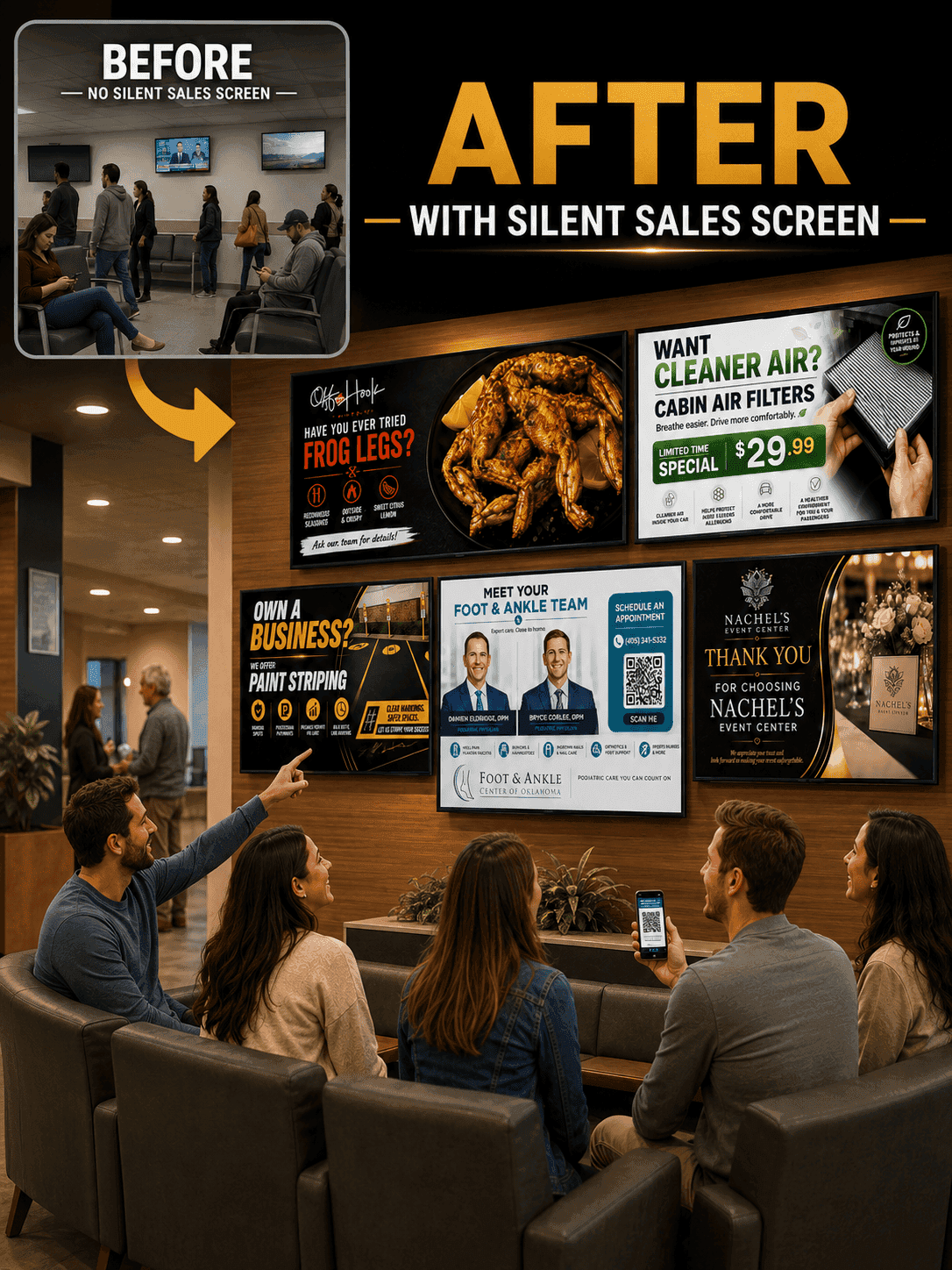
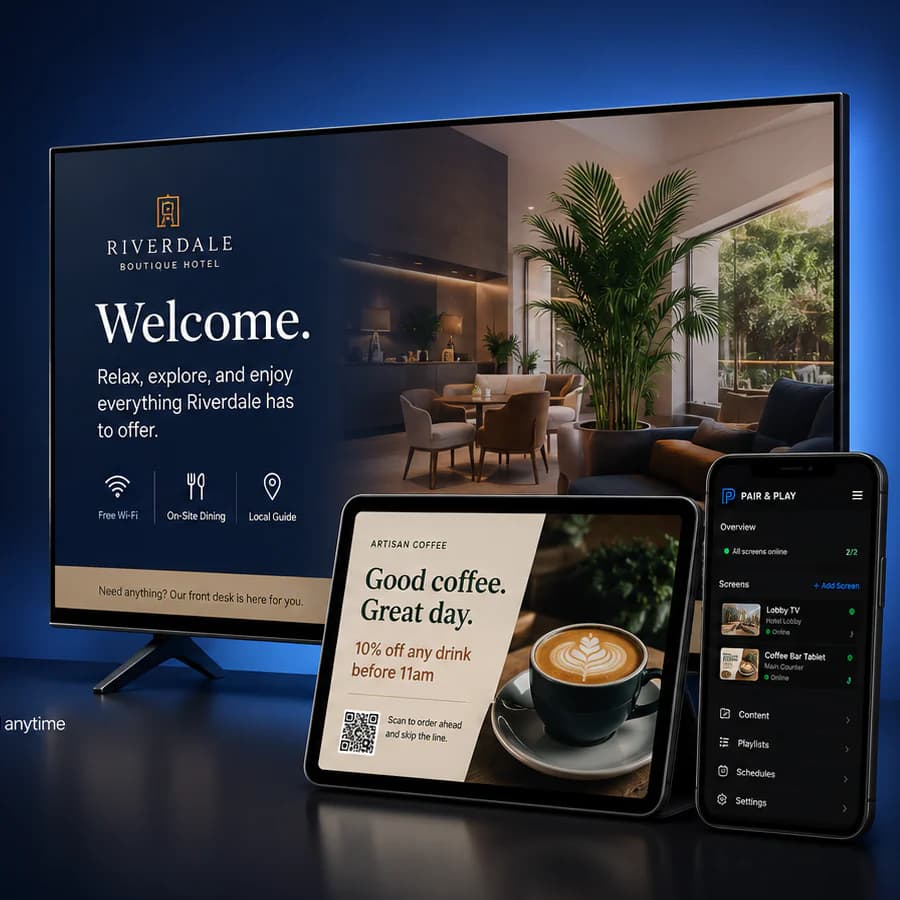
Pair and Play transforms customer-facing TVs and tablets into SILENT SALES SCREEN displays that educate customers, promote what you offer, build trust, and invite the next step.
Customers can’t act on what they don’t know.
2-Minute Pair and Play SILENT SALES SCREEN Demo
In just 2:13, see how Pair and Play transforms a TV or tablet you already have into a SILENT SALES SCREEN display—a screen with a job—that shows customers what your business offers before they leave.
Player blocked by your browser or network? Watch directly on Vimeo.
The missed customer moment
You invested in search, a website, reviews, social media, and advertising to earn the customer’s presence. Once they walk in, most of that marketing goes quiet—even though their attention is finally in the room.
The ordinary journey
Most marketing stops.
The customer waits, browses, checks in, orders, or checks out without seeing the next useful message.
The Pair and Play journey
Pair and Play helps you use customer attention you already paid for or earned.

Pair and Play’s branded customer experience
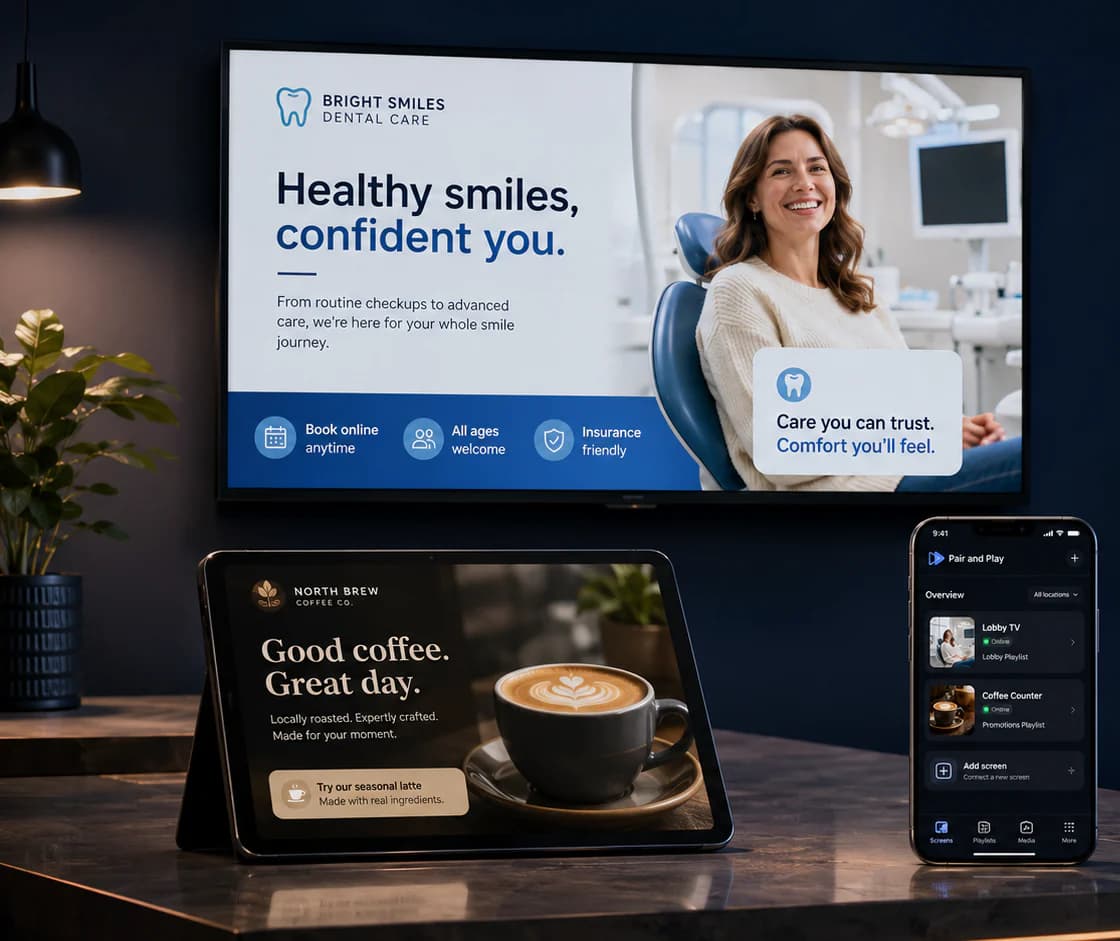
Pair and Play transforms customer-facing TVs and tablets into SILENT SALES SCREEN displays—screens with a job: helping customers discover what they should know, consider, or do next without requiring an employee to deliver the message every time.
01
Answer useful questions and reveal options customers may not know exist.
02
Put services, products, packages, memberships, and offers in view.
03
Show reviews, people, processes, expertise, and reassuring proof.
04
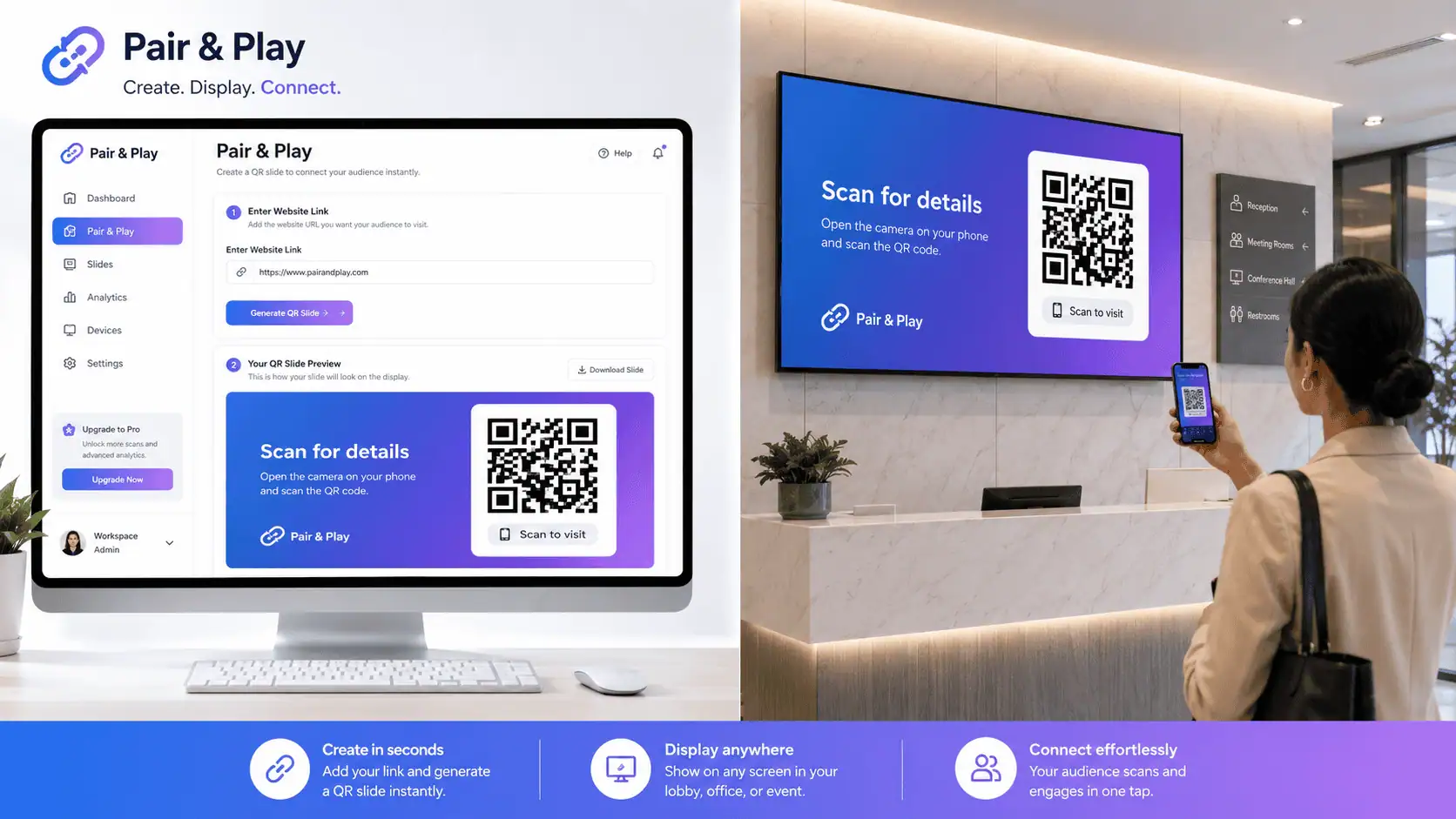
Give customers a clear way to ask, scan, book, join, or learn more.
Content-use gallery
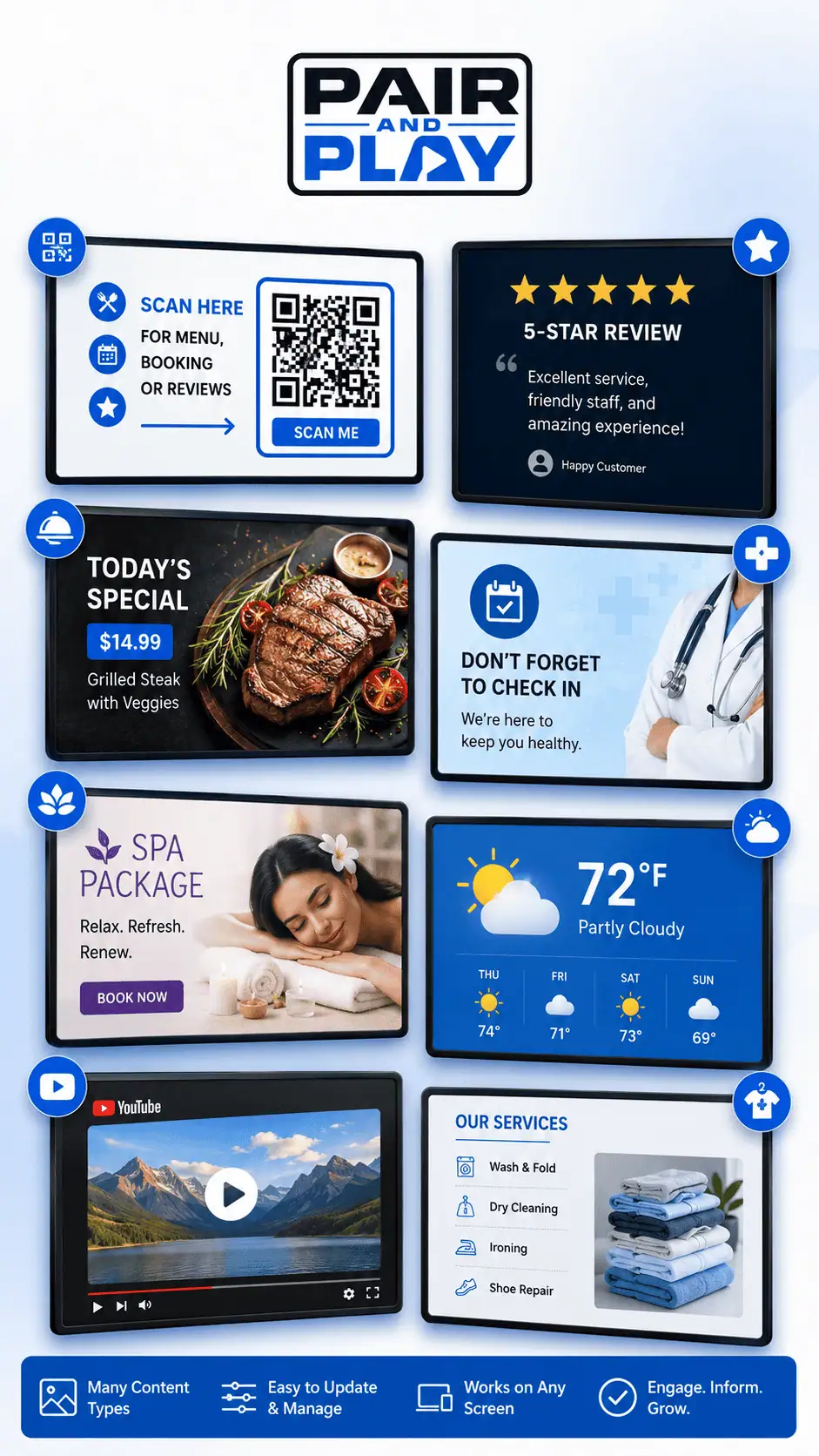
Build a useful mix of discovery, education, trust, and next steps—not a wall of ads.
A screen with a job
The most useful screens don’t just display content. They help customers understand why something matters, trust the business behind it, see more value, and know what to do next.
Belief
Explain the problem, the solution, and why the next step is worth considering.
Trust
Introduce your team, show expertise, answer common questions, and reinforce confidence.
Value
Reveal the services, benefits, options, and details customers might otherwise overlook.
Action
Invite customers to ask, scan, book, upgrade, follow, purchase, or return.
How Pair and Play helps
Create with your own content or the AI Screen Creator. Start with useful options from our growing Universal Library. Get real setup support and five professionally created starter screens while launch capacity is available. Then schedule it, keep it current, and manage it from wherever you are.
01
Custom AI Screen Creator
02
Growing Universal Library
03
Human launch help and support
04
Scheduling, automation and Engagement Mode
You bring the business knowledge. Pair and Play gives you more ways to put it on the screen.
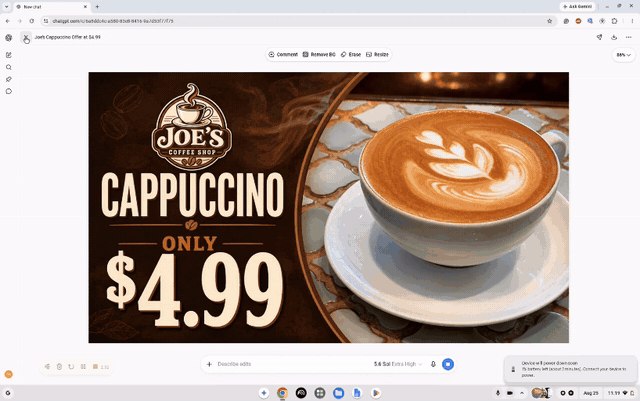
Create it · Custom AI Screen Creator
You shouldn’t need a graphic designer every time you want to promote something.
AI output is not presented as automatically flawless. You remain in control and can request revisions before using a screen.
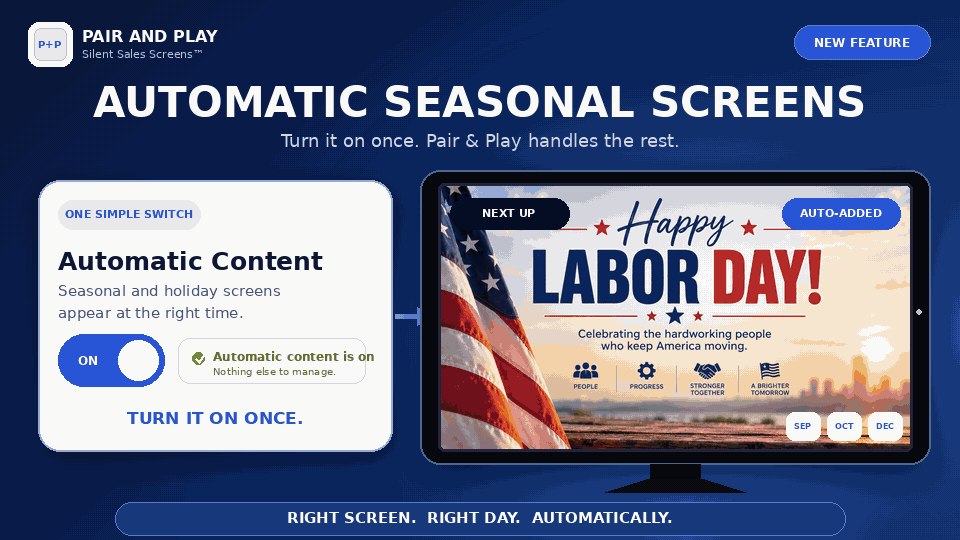
Keep it fresh · Automatic Seasonal Screens
No searching for holiday graphics. No remembering dates. No Christmas screen still playing in January.
Pair and Play Engagement Mode
Even useful content can eventually fade into the background. Engagement Mode is powered by Pair and Play’s lightweight proprietary engagement algorithm—a built-in system designed to help your screen remain visually active without becoming loud, distracting, or difficult to manage.
You turn it on. Pair and Play handles the rest.
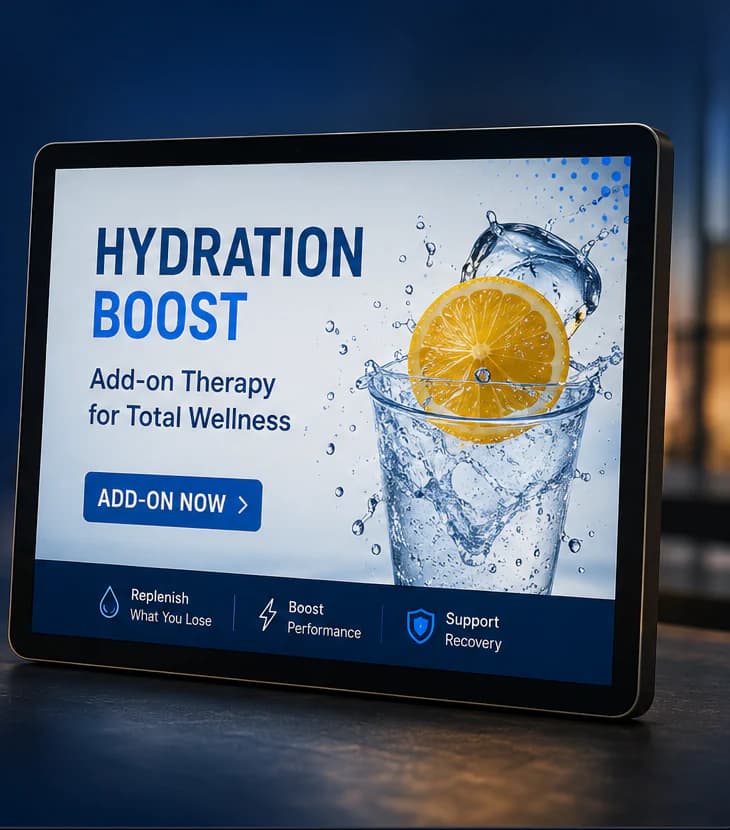
More ways to get started
You still decide what customers should know. Pair and Play gives you a growing library, creation tools, and real launch help so you have more useful ways to turn that knowledge into screens.
01
Browse a growing collection of useful customer-facing messages and choose what fits your business.
02
Turn your photo and a plain-language idea into a professional screen you can review and revise.
03
While launch-onboarding capacity lasts, our team will professionally create and upload your first five screens.
Available while launch onboarding capacity lasts.
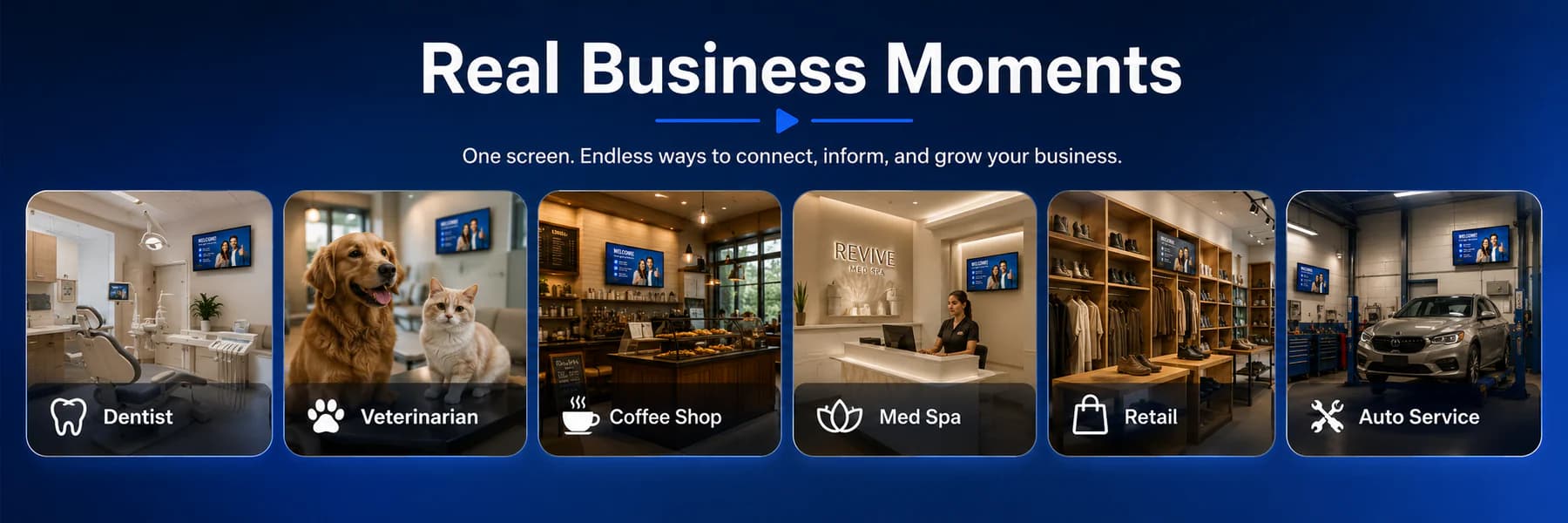
See it in your kind of business
Choose a business type to see the customer opportunity, a genuine supplied screen example, and three messages worth testing. Only the selected animation loads and plays.

Reception, treatment-plan, and checkout screens
Help patients discover services and understand care options they may not think to ask about.
Three messages to test
Manage it wherever you are
When the idea is fresh, you shouldn’t have to wait until you’re sitting at one specific computer. Add media, update playlists, schedule content, and manage customer-facing screens from wherever you are.
Pair and Play is where you are.
Pair and Play Manager for iPhone and Android


Manage your screens from your computer, iPhone, or Android device.
Full browser dashboard
Owner and manager access
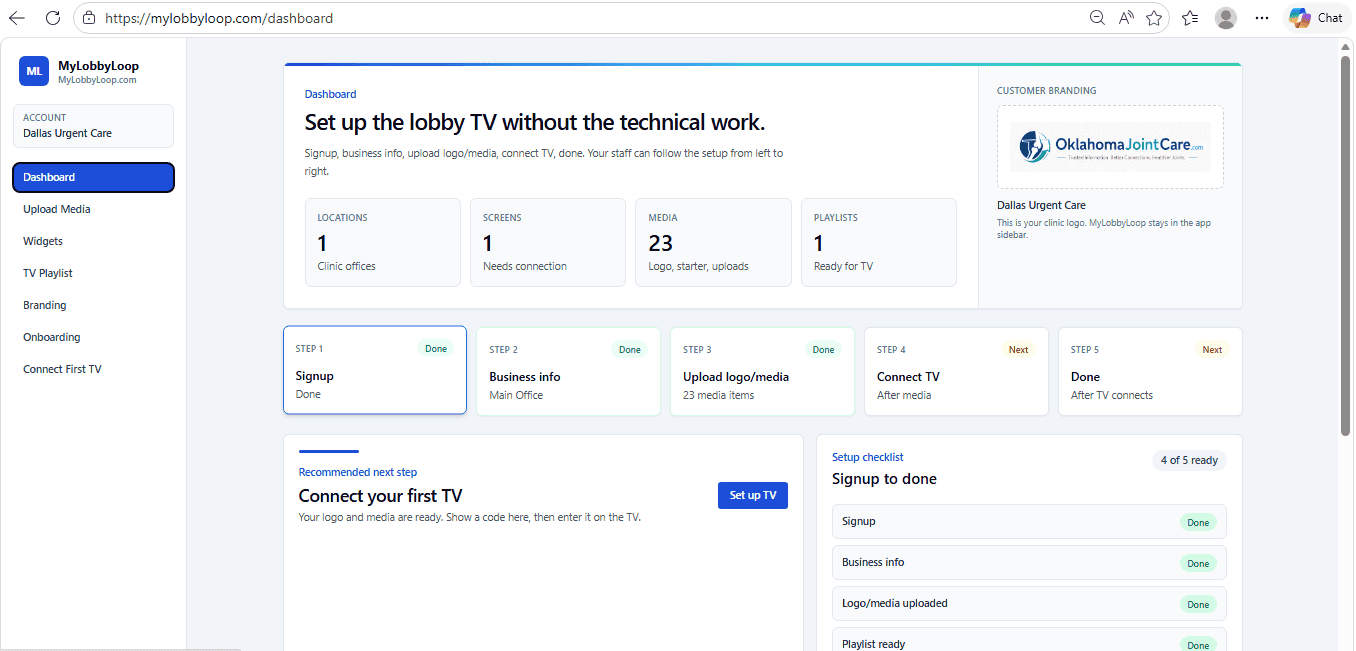
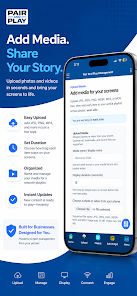
Pair and Play Manager
iPhone and Android
How it works
The setup stays simple because the customer message—not the machinery—is the point.
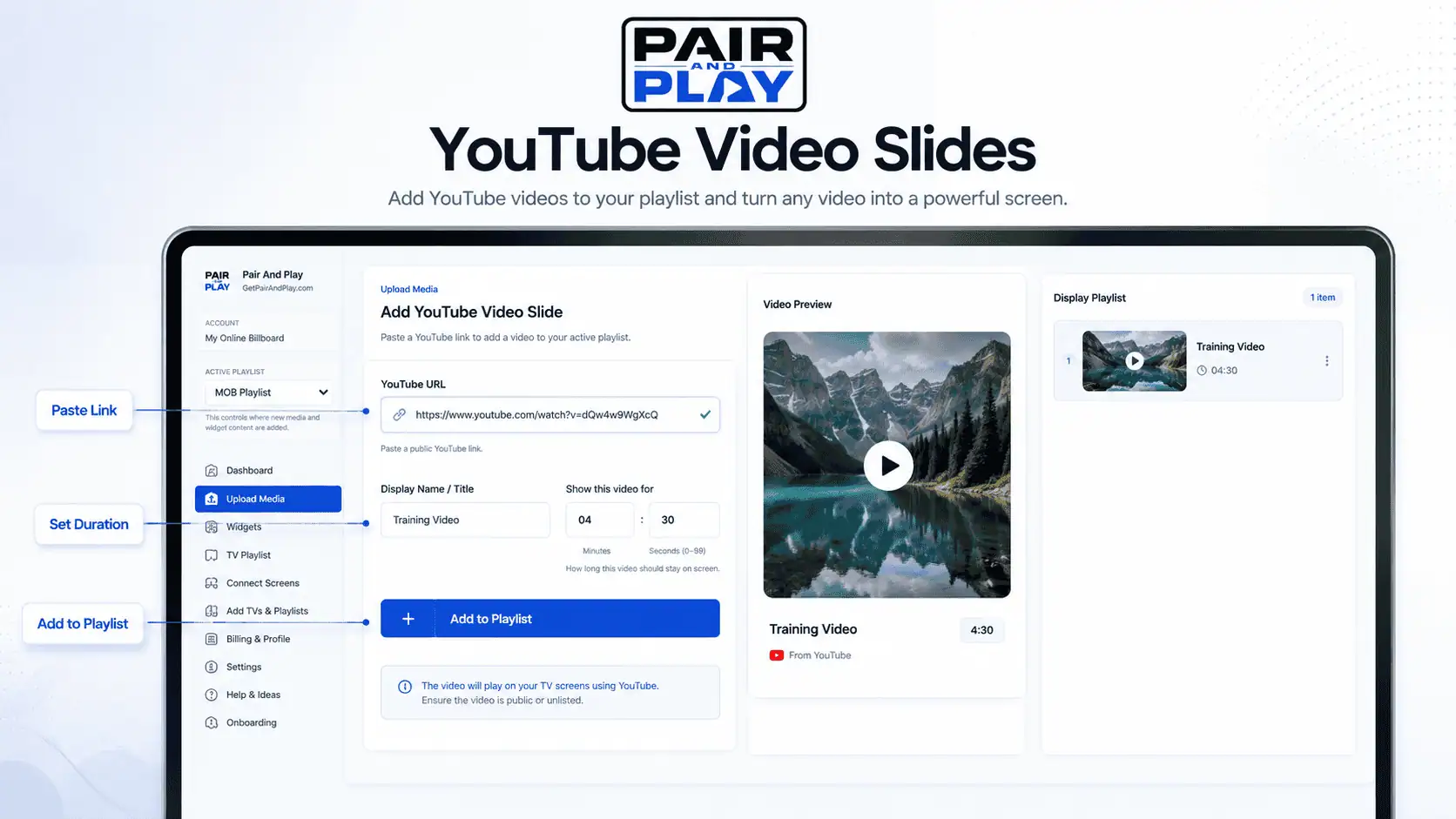
Use the library, upload your own media, add YouTube or weather, or create a custom screen.
Enter the pairing code in the Google TV app, Amazon Fire TV app, or compatible browser player.
Update playlists from the browser dashboard or mobile-ready manager and control multiple locations.
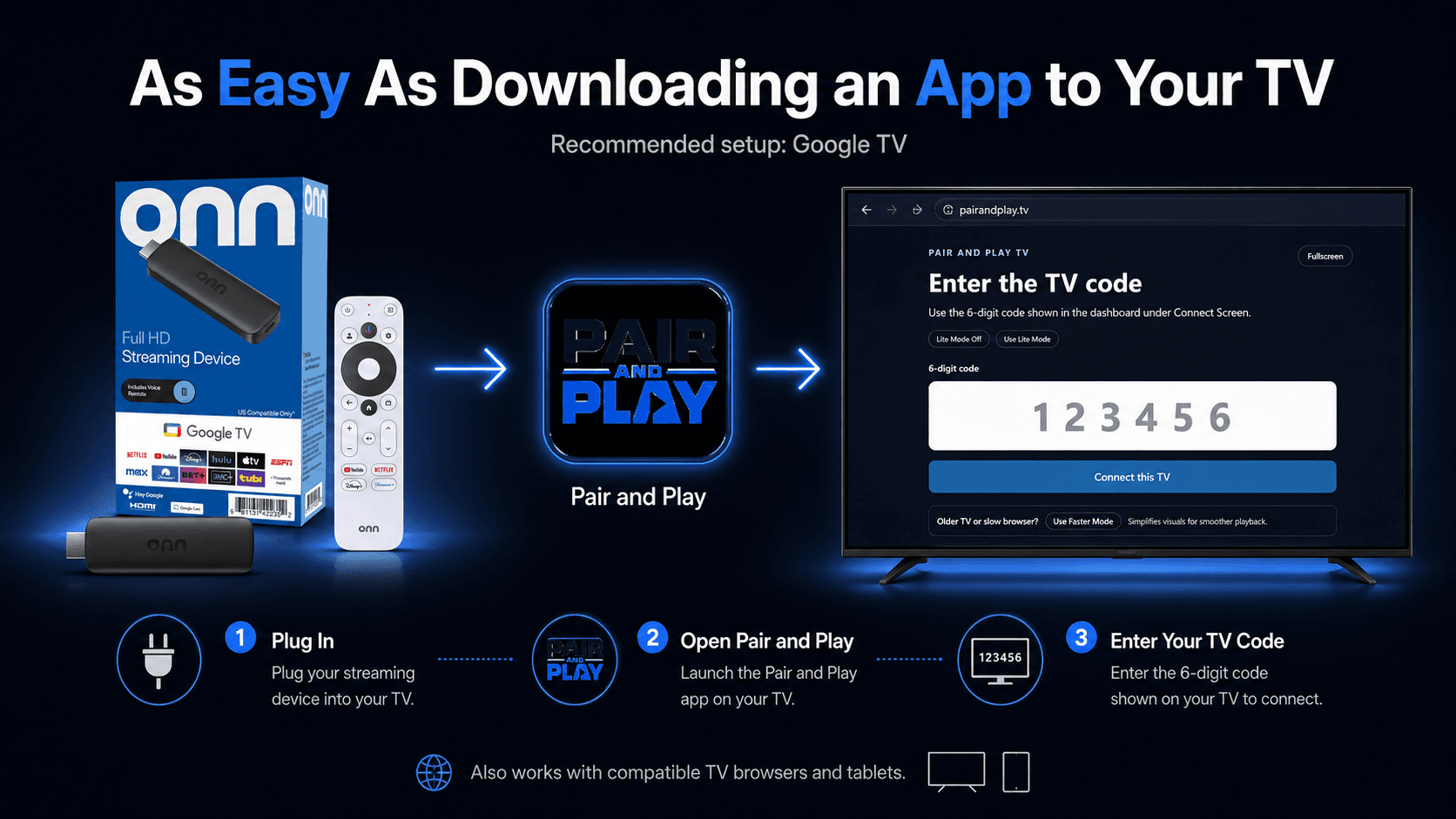
Verified playback options
You may be able to use a TV or tablet you already own. Confirm your setup in the current device guide.
The 14-day SILENT SALES SCREEN Test from Pair and Play
A useful trial is not clicking around a dashboard. It is watching what happens when real customers see a better message.
Days 1–3
Choose the messages that matter, pair a screen, and put the first playlist in the room.
Days 4–10
Notice questions, scans, conversations, and things customers newly discover.
Days 11–14
Refine the playlist and decide whether the screen earns its place.
Proof and field reactions
Before asking business owners to buy anything, we put the idea in front of them and watched what happened.
Four of five coffee-shop owners approached during a founder field demonstration asked to continue the conversation.
“We wish our website looked like this.”
“Can you come back in a few hours and put this on my TV?”
A clinic prospect described Pair and Play as substantially easier than its previous signage experience.
The complete value stack
Simple pricing
Two customer-facing screens, unlimited playlists, content creation help, automatic seasonal content, Engagement Mode, team management, and the tools to run it.
14-day SILENT SALES SCREEN Test · $0 today
$79
/month
Two screens included.
Billing disclosure
A payment method is required. Billing begins at $79/month after the 14-day trial unless canceled. Additional screens are $19/month each.
FAQ
Pricing, devices, content, permissions, and the launch bonus—without tiny-print surprises.
SILENT SALES SCREEN is Pair and Play’s customer-facing display experience: a TV or tablet with a job, helping customers discover what they should know, consider, or do next without requiring an employee to deliver the message every time.
No expensive commercial-signage display is required. You bring a compatible TV, tablet, or browser-supported display; Pair and Play provides the software and pairing flow.
Google TV is the recommended setup. Pair and Play also supports compatible TV and tablet browsers, and an Amazon Fire TV app is available for customers with a compatible device. Device capabilities vary, so the TV setup guide is the best place to confirm a specific setup.
Yes. A supported tablet browser can run a customer-facing screen, which is useful at check-in desks, counters, consultation areas, and smaller spaces.
Yes. When Automatic Seasonal Screens is enabled, Pair and Play can place the appropriate seasonal screen into rotation for its scheduled window and remove it after the date passes. You stay in control of whether the feature is enabled.
The Custom AI Screen Creator helps turn a photo and a plain-language idea into a professional 16:9 customer-facing screen. You can request revisions before adding the result to your account; generated results remain under your control and may need adjustment.
Yes. Pair and Play supports your own images and videos, plus YouTube content, QR-code messages, weather, and other supported screen content.
Yes. Owners can invite screen managers to work with media and playlists through Pair and Play Manager on iPhone, iPad, or Android, or through the browser dashboard, while keeping billing, users, devices, pairing, and account settings protected for owners.
Yes. Owners can manage multiple locations, screens, and playlists from the same account and switch context from Pair and Play Manager or the browser dashboard.
Engagement Mode uses Pair and Play’s proprietary content-behavior system to help keep your screen visually active over time. It runs quietly in the background and requires no manual programming. We intentionally keep the specific timing and internal behavior proprietary.
Your subscription continues at $79 per month for two included screens unless you cancel before the trial ends. Additional screens are $19 per month each.
A payment method is required to activate the trial. The first $79 monthly charge begins after the 14-day trial unless you cancel. Any additional screens are billed at the disclosed additional-screen rate.
Yes. There is no long-term contract, and you can cancel anytime. Cancel before the trial ends to avoid the first monthly subscription charge.
The five professionally created starter screens are a capacity-limited launch-onboarding bonus, not a permanent plan entitlement. If onboarding capacity is no longer available before you start, the bonus may be removed for new signups. Your core Pair and Play subscription features are unaffected.
Your customer is already there
Run a 14-day SILENT SALES SCREEN Test from Pair and Play in the room that matters—with actual customers and messages specific to your business.
Five professionally created starter screens are included while launch-onboarding capacity remains available. Payment method required; cancel anytime.
14-day screen test · $0 today
$79/month after trial · cancel anytime